
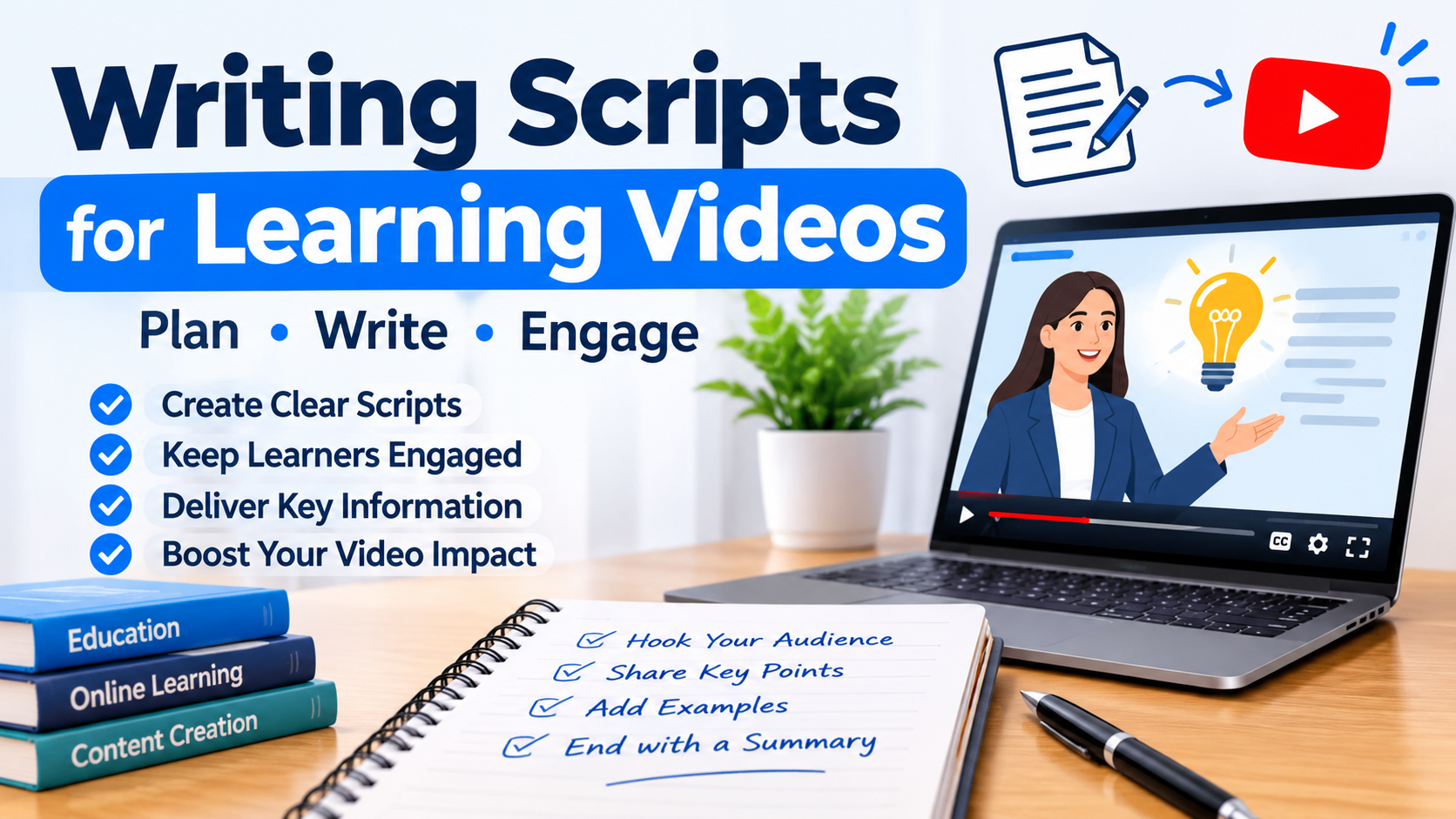
Video Script: How to Write One (Free Templates, Examples and AI Tools)
You’ve got a great idea for a video. You hit record, start talking, and three minutes later you’re rambling, repeating yourself, and wondering where your main point went. Sound familiar?
That’s exactly what a video script fixes. In short, a good script turns a messy idea into a clear, watchable video. Plus, it saves you hours in editing, keeps viewers watching, and makes you sound confident on camera, even if you’re nervous.
This guide covers everything in one place. First, you’ll learn how to write a video script step by step. Next, you’ll get free templates and exact word counts for any length. After that, you’ll see real examples for 12 video types. Finally, you’ll learn how to get the script of a YouTube video, and when AI tools help or hurt.
Quick answer: A video script is a written plan of everything viewers will hear and see. To write one, first set a goal and know your audience. Then outline a hook, body and call to action. After that, write the way you speak, at about 130–150 words per minute. Finally, read it aloud and cut anything that doesn’t serve your main message.
What is a video script?
A video script is a document that lays out the words, visuals and timing of a video. You write it before you film or animate anything. Think of it as the blueprint. In other words, your editor, voice artist or AI video tool all build from it.
However, a video script is not the same as a screenplay. A screenplay uses scene headings and action lines for actors and film crews. By contrast, most video scripts are simpler. They hold narration plus short notes about what appears on screen.
What does a video script include?
Most video scripts contain six parts:
- Title and goal: what the video is for and what viewers should do after watching
- Audio: the exact narration, dialogue, or voiceover lines
- Visuals: what the viewer sees, such as B-roll, screen recordings, on-screen text, or graphics
- Timing: rough seconds for each scene, so you hit your target length
- Sound notes: music, sound effects, and pauses
- Call to action: the one thing you want viewers to do next
Why do you need a video script?
You need a script because changes on paper cost nothing, and changes after filming cost hours. A script gives you four clear wins:
- A focused message. You say what matters and skip the tangents.
- Predictable length. You know a 300-word script runs about two minutes before you record a second.
- Faster editing. Fewer retakes, fewer “ums,” fewer jump cuts.
- Easy teamwork. Clients, editors and voice artists can review and approve before production starts.
Do all videos need a word-for-word script?
No. In fact, some videos work better with a loose outline. A quick screen-recording demo or a casual Q&A can feel more natural when you speak from bullet points. On the other hand, scripted videos shine for explainers, ads, testimonials, training, YouTube tutorials, and anything with a voiceover. So a good middle ground is to script your hook, transitions and call to action. Then use bullet points for the middle.
How to write a video script (8 simple steps)
Here’s how to write a script for a video in eight steps. This process works for YouTube, marketing, training and social media videos alike.
Step 1: Set one clear goal
Start with one sentence: “After watching, the viewer will ___.” For example, they might book a call, understand a concept, or subscribe. If you can’t finish that sentence, you’re not ready to write yet. After that, every line in your script should push toward this goal.
Step 2: Know exactly who’s watching
A script for complete beginners sounds very different from one for experts. Ask yourself three questions:
- What does my viewer already know?
- What problem do they want solved?
- Where will they watch: a phone with the sound off, or a laptop with headphones?
For instance, if most people watch on mute, your key points must also work as on-screen text.
Step 3: Pick one core message
If viewers remember only one thing, what should it be? Write it down. Then, anything that doesn’t support that message belongs in a different video. One video, one message.
Step 4: Outline the structure
Next, before writing full sentences, sketch the skeleton. Almost every effective video follows this shape:
- Hook (first 5–10 seconds): a question, bold claim, or problem that makes people stay
- Intro (10–30 seconds): what the video covers and why you’re worth listening to
- Body: 3–5 points, steps, or story beats, each with an example
- Call to action (last 10–20 seconds): one clear next step
Step 5: Write your hook last
This sounds backwards, but it works. Once you know exactly what your video delivers, you can write a hook that promises something specific. Three hook styles that rarely fail:
- The promise: “In the next two minutes, you’ll learn how to write a script that doesn’t sound robotic.”
- The mistake: “Most people write video scripts like essays. That’s why viewers click away.”
- The question: “What if your next video took half the time to edit?”
Also, skip “Hey guys, welcome back to my channel.” It wastes the seconds when viewers decide to stay or leave.
Step 6: Write the way you talk
In fact, this is the most important step in video script writing. You’re writing for the ear, not the eye. Some simple rules:
- Use short sentences, ideally under 20 words
- Use contractions: “you’ll” instead of “you will”
- Say “you” a lot, because it speaks straight to the viewer
- Swap big words for small ones: “use” not “utilize,” “help” not “facilitate”
- Write numbers the way you’ll say them, like “about three hundred”
- Avoid words that go stale, such as “this year” or a specific date, so your video stays evergreen
Step 7: Add visual cues
Otherwise, a script with only words forces your editor to guess. Add short notes in brackets or a second column: [screen recording], [close-up of product], [text on screen: 3 tips], [B-roll of city street]. In short, show what you can instead of saying it.
Step 8: Read it aloud, time it, and cut
Read your script out loud with a timer running. Wherever you stumble or run out of breath, rewrite that line. Most first drafts need 10–20% cut. So if it’s too long, remove words. Don’t plan to talk faster, because rushed delivery sounds nervous.
Video script templates (free to copy)
The right video script template depends on how your video is made. Copy any of these into Google Docs, Word or Notion and fill in the brackets.
1. Audio video script template (two-column format)
The two-column format, also called an AV script or audio video script, is the professional standard. Audio sits on one side, visuals on the other, and each row is one scene. Your editor, designer and voice artist can all read it at a glance.
| Scene | Time | Visual (what viewers see) | Audio (what viewers hear) |
| 1 | 0:00–0:08 | [Close-up of a frustrated person at a laptop] | Hook: “[Problem question or bold statement]” |
| 2 | 0:08–0:25 | [Speaker on camera, title text appears] | Intro: “[What this video covers and why it matters]” |
| 3 | 0:25–1:15 | [Screen recording / B-roll / on-screen tips] | Body: “[Point 1, point 2, point 3 with examples]” |
| 4 | 1:15–1:30 | [Recap text on screen] | “[Quick summary of the key takeaway]” |
| 5 | 1:30–1:40 | [End card with logo and button] | CTA: “[One clear next step]” |
Always write the audio column first, because filling in visuals is much easier once you know what’s being said.
2. Single-column script template
For solo creators talking to camera, a simple one-column script with visual notes in brackets works fine:
TITLE: [Video title]
GOAL: After watching, viewers will [action]
LENGTH: [target minutes] / [target words]
[ON CAMERA – close shot]
HOOK: “[Your opening line]”
[TEXT ON SCREEN: “3 steps”]
INTRO: “[What you’ll cover]”
[B-ROLL: example footage]
POINT 1: “[Main idea + example]”
[CUT TO SCREEN RECORDING]
POINT 2: “[Main idea + example]”
POINT 3: “[Main idea + example]”
[END SCREEN]
CTA: “[One clear action]”
3. Storyboard video script template
A storyboard video script template adds a sketch or reference image to each scene. It’s ideal for animation and explainer videos, where every frame must be planned.
| Frame | Sketch / reference image | Action on screen | Narration | Duration |
| 1 | [Simple drawing or screenshot] | [Character opens app] | “[Line of voiceover]” | 4 sec |
| 2 | [Simple drawing or screenshot] | [Graph rises] | “[Line of voiceover]” | 5 sec |
| 3 | [Simple drawing or screenshot] | [Logo and URL] | “[Call to action]” | 3 sec |
Also, you don’t need art skills. Stick figures, stock photos, or AI-generated reference images all work.
4. 30-second video script template
A 30-second video script holds about 65–75 words, so every line must earn its place. Use this for ads, Reels, TikTok and YouTube Shorts.
| Part | Time | Words | What to write |
| Hook | 0–3 sec | 8–10 | Bold claim or problem |
| Problem | 3–10 sec | 15–20 | Why it hurts |
| Solution | 10–24 sec | 30–35 | Your tip, product or idea |
| CTA | 24–30 sec | 10–12 | One clear action |
Example (30 seconds, 65 words): “Still writing video scripts that sound like school essays? That’s why people scroll past. Here’s the fix. Write like you talk. Use short sentences. Say ‘you’ a lot. Then read it out loud, and cut every line that makes you stumble. Your videos will feel natural and get watched longer. Want my free script template? Tap the link in my bio and grab it now.”
5. 60-second video script template
A 60-second video script holds about 130–150 words. As a result, you get room for one short example or story.
| Part | Time | Words |
| Hook | 0–5 sec | 10–12 |
| Context / problem | 5–15 sec | 20–25 |
| Main value (tip, steps, demo) | 15–45 sec | 65–75 |
| Proof or example | 45–52 sec | 15–20 |
| CTA | 52–60 sec | 15–18 |
How long should a video script be?
A video script should run about 130–150 words for every minute of finished video. That’s a natural, relaxed speaking pace. However, fast talkers may hit 160, and slow, calm narration may drop to 120.
| Video length | Approx. word count | Best for |
| 15 seconds | 30–40 words | Story ads, quick Shorts |
| 30 seconds | 65–75 words | Ads, Reels, TikTok |
| 60 seconds | 130–150 words | Short explainers, intros |
| 2 minutes | 260–300 words | Explainer videos, product demos |
| 3 minutes | 390–450 words | Tutorials, testimonials |
| 5 minutes | 650–750 words | YouTube how-to videos |
| 10 minutes | 1,300–1,500 words | In-depth YouTube videos, training modules |
| 20 minutes | 2,600–3,000 words | Course lessons, webinars |
How many words in a 3-minute video script?
A 3-minute video script needs roughly 390–450 words. Aim for the lower end if you’ll include pauses, demos, or B-roll without narration.
How long should a script be for a 10-minute video?
A script for a 10-minute video should be about 1,300–1,500 words. If you show a lot of screen recordings or silent demos, you may only need 1,000–1,200 spoken words. Also, plan a pattern change every 60–90 seconds, such as a new visual, question or example.
How to use a video script timer
A video script timer estimates how long your script will take to read. You can use an online one, or do it yourself in two ways:
- The quick math method: divide your word count by 140. So 700 words ÷ 140 = about 5 minutes.
- The real-world method: read your script aloud with your phone’s stopwatch running. This is more accurate because it includes your natural pauses.
Either way, always trust the read-aloud time over the math. Visual-only moments, music breaks, and dramatic pauses all add seconds a calculator can’t see.
How to write a YouTube video script
A YouTube video script has one extra job: keeping people watching. After all, YouTube recommends videos that hold attention. So your script shapes your reach as much as your title does.
When writing a script for a YouTube video, use this five-part structure:
- Hook (0–15 seconds): match the promise in your title and thumbnail right away. If the title says “5 mistakes,” mention the first mistake fast.
- Quick credibility (5–10 seconds): one line on why you know this. Skip the long bio.
- Main content: break it into clear chapters. These become the timestamps in your description.
- Re-hooks every 60–90 seconds: tease what’s coming next: “But the third tip is the one most people miss.”
- Call to action and end screen: point to one next video or one action. A related video keeps people on your channel longer than a generic “please subscribe.”
YouTube Shorts script tips
Shorts move much faster. First, put your hook in the first 1–2 seconds. Second, keep one idea per Short. Also, make your first line work as on-screen text for people watching on mute. As a guide, a 30–45 second Short needs only 65–100 words.
Scripts for faceless YouTube videos
Faceless channels rely entirely on voiceover and visuals, so the script does all the heavy lifting. That’s why you should write a full word-for-word script, since there’s no face to carry personality. Also, mark a visual for every one or two sentences, because static screens lose viewers. Finally, if you use an AI voice, read the script aloud yourself first. AI voices stumble on the same awkward lines humans do.
Video script examples for every type of video
Each video type needs a slightly different structure. So below, you’ll find a short framework plus a video script sample for each one. Swap in your own details.
Explainer video script template and example
Explainer videos answer one question: “What is this, and why should I care?” Use the problem, solution, how it works, call to action pattern.
Explainer video script template: Problem (10 sec) → Solution (15 sec) → How it works in 3 steps (30–60 sec) → Proof (10 sec) → CTA (5 sec).
Explainer video script example (60 seconds):
“Planning meals every week feels like a second job, right? You stare at the fridge, order takeaway again, and waste food you already bought. Meet MealMate. It plans your week in two minutes. First, tell it what you like. Second, it builds a menu from what’s already in your kitchen. Third, it makes your shopping list for you. Families using it waste less food and save time every single week. Try MealMate free today. Your evenings will thank you.”
Testimonial video script and examples
A testimonial video script works best as a guide, not a word-for-word script. Customers sound fake reading lines. Instead, ask questions that pull out a story, then edit the answers into this shape: before, turning point, after.
Testimonial video script questions:
- Can you tell us a little about yourself and your business?
- What problem were you dealing with before?
- What made you decide to try us?
- What changed after you started?
- Can you share a specific result or moment?
- What would you tell someone who’s thinking about it?
Video testimonial script example (edited answer):
“Before, I was spending every Sunday night on my books and still making mistakes. A friend recommended this service, so I tried it. Now it takes me twenty minutes. Honestly, I got my weekends back. If you’re on the fence, just try it.”
Most importantly, always get written permission to use a customer’s words and face.
Corporate video script template
A corporate video script represents your whole brand, so tone matters. So keep it warm, clear and human. Avoid buzzwords like “synergy” or “world-class solutions.”
Corporate video script template: Hook about the customer’s world → Who you are in one sentence → What you do and for whom → Proof (numbers, clients, story) → Your values or people → CTA.
Company introduction video script sample
“Every day, small shops lose sales because their websites are slow. We’re BrightPage, a team of twelve designers and developers in Manchester. Since 2019, we’ve helped over 300 local businesses build fast, simple websites that actually sell. We keep things personal. You’ll always talk to a real person, never a ticket system. Ready for a website that works as hard as you do? Visit brightpage.co.uk.”
(Replace every name, number and place with your own true details.)
Training video script and example
A training video script is about retention, not attention. Your viewers often have to watch, so clarity matters most.
Training video script tips: state the learning goal at the start, use one short module per skill, add knowledge-check questions, and finish with a recap.
Training video script example (opening):
“By the end of this three-minute video, you’ll know exactly how to log a customer complaint in our system. Let’s start with step one. Open the dashboard and click the orange ‘New Case’ button in the top right corner. [Screen recording zooms in on button.] Quick check: which colour is the button? That’s right, orange.”
Recruitment video script example
A recruitment video script sells the job and the culture. If possible, let real employees speak.
Recruitment video script structure: What it feels like to work here → A day in the role → Growth and benefits → Who thrives here → How to apply.
Recruitment video script example:
“I joined as a junior driver dispatcher three years ago. Now I lead a team of six. What I love most? Nobody here gets left behind. We train you, we back you, and we celebrate wins together. If you’re organised, calm under pressure, and love helping people, you’ll fit right in. Applications are open now. The link is below.”
Promotional video script example
A promotional video script has one goal: action. Therefore, keep it short and lead with the benefit.
“Tired of coffee that goes cold before you finish it? The ThermoMug keeps drinks hot for six hours. No cords, no charging, just pour and go. This week only, get 20% off. Tap the link and grab yours before they’re gone.”
Video introduction script and self-introduction video script sample
A video introduction script helps people get to know you fast. Use it for your website’s About page, social profiles, online classes, or networking.
Introduction video script formula: Who you are → What you do → Who you help → One personal detail → What to do next.
Self-introduction video script sample (45 seconds):
“Hi, I’m Sara. I help small business owners write blog posts that actually show up on Google. For a few years now, I’ve been building websites for local businesses. I love making SEO simple. When I’m not writing, you’ll find me testing new recipes with my kids. If you want more customers from Google, check out my free guides below.”
Video interview introduction script
When a job application asks you to introduce yourself on video, keep it to 60–90 seconds.
“Hello, my name is [Name], and I’m applying for the [Job Title] role. I have [number] years of experience in [field], where I [one specific achievement]. I’m especially good at [skill], and I’d love to bring that to [Company]. Thank you for watching. I look forward to speaking with you.”
Video resume script and video CV script sample
A video resume script, also called a video CV script, shows what paper can’t: your personality and communication skills. Keep it under 90 seconds and lead with your strongest result.
Video resume script sample:
“Hi, I’m Daniel, a customer service specialist with five years of experience. In my last role, I helped cut our response time in half by building a simple reply library. Customers often tell me I’m the calmest person they’ve spoken to on a stressful day. I’m looking for a team where I can keep solving problems and helping people. Thanks for watching. My contact details are on screen now.”
Real estate agent introduction video script
People choose agents they trust, so warmth beats a sales pitch.
“Hi, I’m [Name], and I’ve helped families buy and sell homes in [Area] for [number] years. I know every street, school and coffee shop here, because I live here too. My promise is simple: honest advice, clear updates, and no pressure. Thinking about moving? Give me a call, and let’s chat about what you need.”
How to write a script for a music video
A music video script works differently, because the song is already your audio. Your script describes the visuals and story, line by line or section by section.
- Listen to the song many times and note its mood and energy changes.
- Choose a concept: performance, story, abstract, or a mix.
- Split the song into sections (intro, verse, chorus, bridge).
- For each section, write what happens on screen, the location, and the shot type.
- Match big visual moments to the chorus or beat drops.
| Song section | Time | Visual / action | Location | Shot |
| Intro | 0:00–0:15 | Singer walks alone at dawn | Empty street | Wide, slow motion |
| Verse 1 | 0:15–0:45 | Flashbacks of a friendship | Café | Close-ups |
| Chorus | 0:45–1:15 | Band plays, crowd jumps | Rooftop | Fast cuts |
Video game script and examples
A video game script is very different from a regular video script. Players make choices, so the script branches. Game writers usually write in spreadsheets or special tools rather than a normal document.
A video game script typically includes:
- Character dialogue with a speaker name and emotion tag
- Branching choices that lead to different lines
- Triggers, meaning what in-game event starts each line
- Barks, which are short repeatable lines like “Reloading!” or “Over here!”
Video game script example (branching dialogue):
NPC (worried): “The bridge is out. You’ll never reach the village tonight.”
> PLAYER CHOICE A: “Is there another way across?”
NPC (hopeful): “There’s an old tunnel… but nobody’s been down there in years.”
> PLAYER CHOICE B: “Then I’ll camp here.”
NPC (relieved): “Smart. Wolves come out after dark.”
More video game script examples to study: the dialogue trees in classic role-playing games, and tutorial lines in mobile games that teach controls through character speech.
How to get the script of a YouTube video
You can get the script of a YouTube video for free using YouTube’s built-in transcript feature. It works on most videos with captions, including automatic ones. Best of all, you don’t need any extra tool.
How to see the script of a YouTube video on a computer
- Open the video on YouTube in your browser.
- Under the video, click …more to expand the description.
- Scroll to the bottom of the description and click Show transcript.
- The full script opens in a panel beside the video, with timestamps.
- To hide the timestamps, click the three dots at the top of the transcript panel and choose Toggle timestamps.
- Select all the text, copy it, and paste it into Google Docs or Word.
How to get a script from a YouTube video on your phone
- Open the video in the YouTube app.
- Tap the video title or description to expand it.
- Scroll down and tap Show transcript.
- Read along in the app. Copying is awkward on phones, so for long scripts it’s easier to open the video in a desktop browser.
Why can’t I find the transcript?
If there’s no “Show transcript” button, one of these is usually the reason:
- The video has no captions, and auto-captions weren’t created
- The creator turned captions off
- The video is very new, so auto-captions haven’t been processed yet
- It’s a YouTube Short, which doesn’t show the built-in transcript button
- The language isn’t supported for automatic captions
YouTube video to script converters and extractors
A YouTube video to script converter, or YouTube video script extractor, pulls the transcript for you. It’s usually a website or browser extension. Simply paste the link, and it gives you the whole script, often as a TXT or SRT file you can download. These are handy when you need to extract scripts from many videos, or want cleaner text without timestamps.
When picking one, check for three things. It should have no shady pop-ups, never ask for your Google login, and let you remove timestamps.
How to turn any video into a script
Sometimes a video isn’t on YouTube, or it has no captions. In that case, use a “video to script” AI tool to turn the video into a script. These tools listen to the audio and transcribe it. Many video editing apps and transcription services can do this now. However, always proofread the result, because names, numbers, and accents often get mistranscribed.
Can I reuse a script from someone else’s YouTube video?
You can use a transcript for personal notes, study, research, or accessibility. But the words still belong to the creator. Don’t republish a full transcript, or reuse it as your own script, without permission. Instead, a great legitimate use is studying how top creators structure their hooks and transitions, then writing your own original version.
AI video script generators and video script software
An AI video script generator writes a first draft from a short brief: your topic, audience, length and tone. It’s a great way to beat the blank page. But AI drafts tend to sound generic, so treat them as a starting point, not a finished script.
What AI does well vs. where it falls short
| AI is great at | AI struggles with |
| Turning a blog post into a video script | Sounding like you |
| Brainstorming 10 hook ideas in seconds | Hooks that feel truly surprising |
| Building a quick outline | Knowing your audience’s inside jokes and pain points |
| Checking word count against your target length | Judging how a line sounds when spoken aloud |
| Writing several call-to-action options to test | Real stories and first-hand experience |
A ready-to-use AI prompt for video scripts
Copy this into any AI chat tool and fill in the brackets:
Act as an experienced video scriptwriter.
Write a [length]-second video script for [platform: YouTube / Reels / training].
Audience: [who they are and what they already know].
Goal: after watching, viewers should [action].
Tone: [friendly / professional / energetic].
Structure: hook in the first 5 seconds, 3 main points with one example each,
a single call to action at the end.
Use short spoken sentences, contractions, and the word “you.”
Keep it to about [word count] words.
Format it as a two-column table: Visual | Audio.
Then rewrite the draft in your own words, add a personal example, and read it aloud.
Video generator from script: turning your script into a video
A video generator from script takes your finished text and builds the video for you. It adds stock footage, AI voiceover, captions, or even an AI avatar presenter. In fact, this is how many faceless channels produce videos quickly. For the best results, feed it a script with clear scene breaks and visual notes in every row.
Video script software: where to write
To begin with, you don’t need fancy video script software. Here’s what most people use:
- Google Docs or Word: free and simple. Use a table for the two-column format.
- Notion: great for planning a whole content calendar alongside your scripts.
- Teleprompter apps: scroll your script while you record, so you can look at the camera.
- Screenwriting software: useful for film, music videos, and story-heavy projects with dialogue.
- Game-writing tools or spreadsheets: best for branching video game scripts.
Video script writing services: when to hire help
Video script writing services are worth it when the stakes are high. For example, think of a TV ad, a big product launch, or a brand film. They also help when you simply don’t have time. A professional writer brings structure, fresh eyes, and experience with what keeps viewers watching.
Before hiring, check for:
- Samples in your video type. Explainer writing is very different from testimonial or training writing.
- A clear process. A good writer asks about your goal, audience and brand before writing a word.
- Revisions included. Two rounds is common.
- Pricing basis. Writers charge per project, per finished minute, or per word. Confirm which before you start.
However, if your budget is small, a middle path works well. Write the first draft yourself using the templates above, then pay for an edit.
Other meanings: video hosting scripts and video sharing scripts
Sometimes people searching “video script” mean something completely different: website software. In web development, a script is code you install on a server.
- Video hosting script: ready-made code to run your own video hosting website, where users upload and stream videos.
- Video sharing script: software that builds a YouTube-style site with user accounts, likes, and comments.
- Video editor script (to buy): code that adds an online video editor to your own website or app.
In that case, look on trusted code marketplaces. Check reviews, update history, security, and licence terms before you buy a video editor script or any other code. Never install “nulled” (pirated) scripts, because they often contain malware.
Common video script mistakes to avoid
- Writing an essay instead of a conversation. If it reads like a school report, it’ll sound like one.
- A slow start. Logos, greetings and channel news before the point lose viewers fast.
- Too many calls to action. “Like, subscribe, comment, share, visit, download” means people do none of them. Pick one.
- No visual notes. Your editor shouldn’t have to guess what goes on screen.
- Cramming in everything. Cut anything that doesn’t serve your one main message.
- Skipping the read-aloud. Your eyes miss what your mouth catches.
- Forgetting accessibility. Write so the video still makes sense with captions only, and say important on-screen text out loud for people who can’t see it.
Video script checklist before you hit record
- ☐ My goal fits in one sentence
- ☐ My hook lands in the first 5–10 seconds
- ☐ Every section supports one core message
- ☐ My word count matches my target length (about 140 words per minute)
- ☐ Sentences are short and sound natural spoken aloud
- ☐ Every scene has a visual note
- ☐ There’s only one call to action
- ☐ I read it aloud and timed it
- ☐ Someone else read it and gave feedback
Frequently asked questions about video scripts
What is a video script in simple words?
A video script is a written plan of everything people will hear and see in your video. It includes the spoken words, the visuals, and the order they appear in.
How do I create a script for a video if I’m a complete beginner?
Start small. First, pick a 60-second video, write one goal sentence, then fill in the 60-second template above: hook, problem, value, proof, call to action. Write about 140 words, read it aloud, and trim. Your first script won’t be perfect, and that’s fine.
What is the best video script format?
The two-column audio video script format is the best choice for most videos. Visuals go on one side and audio on the other. For simple talking-head videos, a single-column script with visual notes in brackets works well too.
How many words is a 1-minute video script?
A 1-minute video script is about 130–150 words at a natural speaking pace.
How many words in a 3-minute video script?
About 390–450 words. Use fewer if your video includes demos or moments without narration.
How long should a script be for a 10-minute video?
Around 1,300–1,500 words. Videos with lots of screen recordings or silent visuals may need only 1,000–1,200.
What’s the difference between a video script and a storyboard?
A script holds the words and audio. A storyboard holds the pictures, meaning a sketch of each shot. Write the script first, then storyboard it. For simple videos, a storyboard video script template combines both in one table.
Can AI write my video script?
Yes, an AI video script generator can write a solid first draft in seconds. But always rewrite it in your own voice, add real examples, and read it aloud. Viewers can tell when a script sounds generic.
How do I get the whole script of a YouTube video?
Open the video in a desktop browser, click “…more” under the video, scroll down, and click “Show transcript.” The full script appears beside the video. Turn off timestamps with the three-dot menu, then copy and paste it anywhere.
Can I download a script from a YouTube video?
YouTube doesn’t have a download button for transcripts. But you can copy the transcript text from the “Show transcript” panel and save it as a document. Transcript extractor tools can also save it as a TXT or SRT file.
Why doesn’t every YouTube video have a transcript?
Transcripts only exist when a video has captions. For example, some creators turn captions off. Also, some languages aren’t auto-captioned, and Shorts don’t show the transcript button.
Should I memorise my script or use a teleprompter?
For longer videos, a teleprompter app is easier and looks more natural than reciting from memory. Practise two or three times first, so you’re glancing at cues instead of reading word for word. For very short clips, memorising a few bullet points often works best.
How do I write a script for a video with no voiceover?
Script the on-screen text instead of narration. Keep each text card to about 5–8 words, and give each card 2–3 seconds on screen so people can read it comfortably.
Conclusion
You don’t need to be a professional writer to create a great video script. You need one clear goal, a simple structure, and the habit of reading your words out loud. So pick the template that fits your next video and write a quick first draft. Then time it, and cut what doesn’t belong.
Your first script might take an hour. Your tenth will take fifteen minutes, and your videos will be clearer, tighter, and far easier to edit. Grab a template above and write your first script today.